Your website is your number #1 marketing asset.
It is your 24/7 salesperson, and the first impression you'll make on potential customers. 94% go online first before making a decision.
But business owners and marketing leaders often make a mistake - thinking it's a 'set and forget' asset.
Just like a physical store, websites need regular attention to keep them running smoothly, securely, and effectively. Neglecting website maintenance can lead to lost revenue, security breaches, and a damaged reputation.
This guide explores why WordPress maintenance is an absolute must, what it involves, how to monitor your site if you're doing it yourself, the benefits of outsourcing to experts, ways to keep costs down and the total cost that you should expect for your WordPress Website.
Key Takeaways
- Maintenance is mandatory: Websites are not static, but living software projects that will naturally break down over time as technology evolves.
- Getting hacked can really hurt: Not only is it a technical headache, an average cyber security incident for a small business in Australia costs around $60,000.
- Outdated software is the primary threat vector: The biggest security risk comes from neglect: 39% of all hacked websites were running out-of-date core software.
- Proactive care beats emergency repair: There are 7 core maintenance tasks that need to be performed regularly to keep your website in top shape.
- Outsourcing provides expertise and time savings: For many growing businesses, outsourcing maintenance to an expert agency can be a smart investment for peace of mind.
Why is Website Maintenance Important?
Website maintenance ensures websites perform as designed, get discovered on the internet and build trust with visitors.
It does that across five key factors.
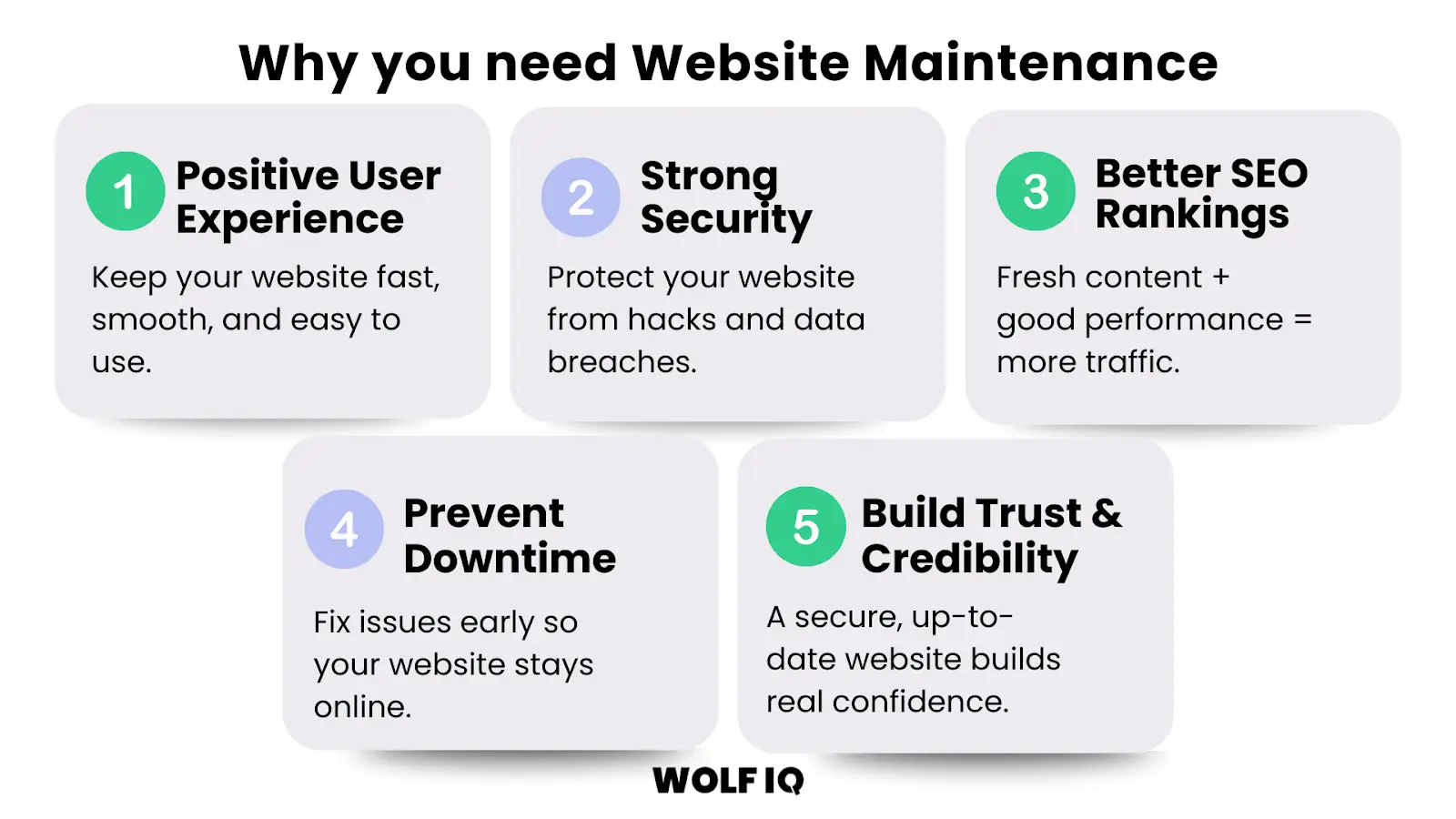
1. Positive User Experiences
First impressions count. A slow, buggy, or hard-to-navigate website will frustrate visitors and send them straight to your competitors.
A well-maintained website, on the other hand, provides a smooth and enjoyable user experience, which is crucial for keeping potential customers engaged.
A website that is difficult to navigate and has broken links or slow loading times can result in a poor user experience and deter users from returning.
According to a study by Google/SOASTA, 53% of mobile users abandon a site if it takes longer than 3 seconds to load, and a 1-second delay can drop conversions by up to 7%.
2. Safeguard Your Website From Hackers
Cybersecurity threats are a significant risk for businesses of all sizes.
Outdated software and plugins are a primary target for hackers. The 2023 Sucuri Hacked Website and Malware Threat Report found that 39% of all hacked websites were running out-of-date core software.
Getting hacked doesn't just damage your website, the average cost of a cyber security incident for a small business in Australia is around $60,000, according to data from the Queensland Government and Cyber.gov.au.
Regular maintenance, including security scans, software updates, and backups, is your first line of defence against malicious attacks, protecting both your business and your customers' sensitive data.
3. Boost Your Online Visibility (SEO)
Search engines like Google reward websites that are well-maintained, fast and regularly updated.
Keeping your site fresh through content updates, performance tuning and technical fixes tells Google that your site is active, relevant and worth showing to users.
According to Google's official SEO starter guide, providing high-quality content, ensuring fast load times and offering a mobile-friendly experience are all essential signals for better rankings.
In short, proactive website maintenance doesn't just keep things running – it helps you get found by more people, more often.
4. Prevent Costly Downtime
Every minute your website is down, you're losing potential customers and revenue.
Website downtime can also damage your brand's reputation and credibility.
Proactive maintenance helps prevent the technical issues that cause downtime and ensures that if problems do arise, they are resolved quickly and efficiently.
5. Build Trust and Credibility
A well-maintained website that is secure, up-to-date, and easy to use reflects positively on your business.
It shows that you are professional, reliable, and committed to providing a quality experience for your customers. This builds trust and credibility, which are essential for long-term customer relationships and brand loyalty.
What Maintenance Tasks are Required for WordPress?
WordPress is open source software that requires ongoing attention to remain secure, fast, and effective.
These are the seven maintenance tasks that need to be performed regularly to keep your WordPress website in top shape. By skipping these, even the best WordPress website will become a liability.
While some can be done in-house, many require technical expertise.
Here is every core maintenance task at a glance, how often it needs doing, and whether you can handle it yourself.
| Task | How often | Why it matters | Time needed | DIY? |
|---|---|---|---|---|
| Backups | Daily to weekly | Your restore point when anything fails | 15 min to set up, then automatic | Yes, with a plugin |
| Core, theme and plugin updates | Weekly | Most hacked WordPress sites run outdated software | 30 - 60 min including testing | Yes, with care |
| Security scans | Weekly | Catches malware and file changes early | 15 min | Yes |
| Uptime monitoring | Continuous | Downtime costs sales and rankings | 10 min to set up | Yes |
| Performance checks | Monthly | Slow pages lose visitors and rankings | 30 - 45 min | Partly |
| Broken link checks | Monthly | 404s frustrate visitors and waste crawl budget | 20 - 30 min | Yes |
| Database optimisation | Monthly to quarterly | Keeps the site fast as content grows | 20 min | Yes, with care |
| Content and legal page reviews | Quarterly | Keeps information accurate and compliant | 1 - 2 hours | Yes |
| Restore testing | Quarterly | A backup you have never restored is a hope, not a plan | 30 - 60 min | Yes, on staging |
| SSL and domain renewals | Annually | An expired certificate takes the whole site down | 10 min to verify | Yes |
1. Weekly Backups
Regularly backing up your website's files and database is non-negotiable.
If your site is hacked, or an update causes a major issue, a recent backup is your safety net, allowing you to restore your site quickly and minimise downtime.
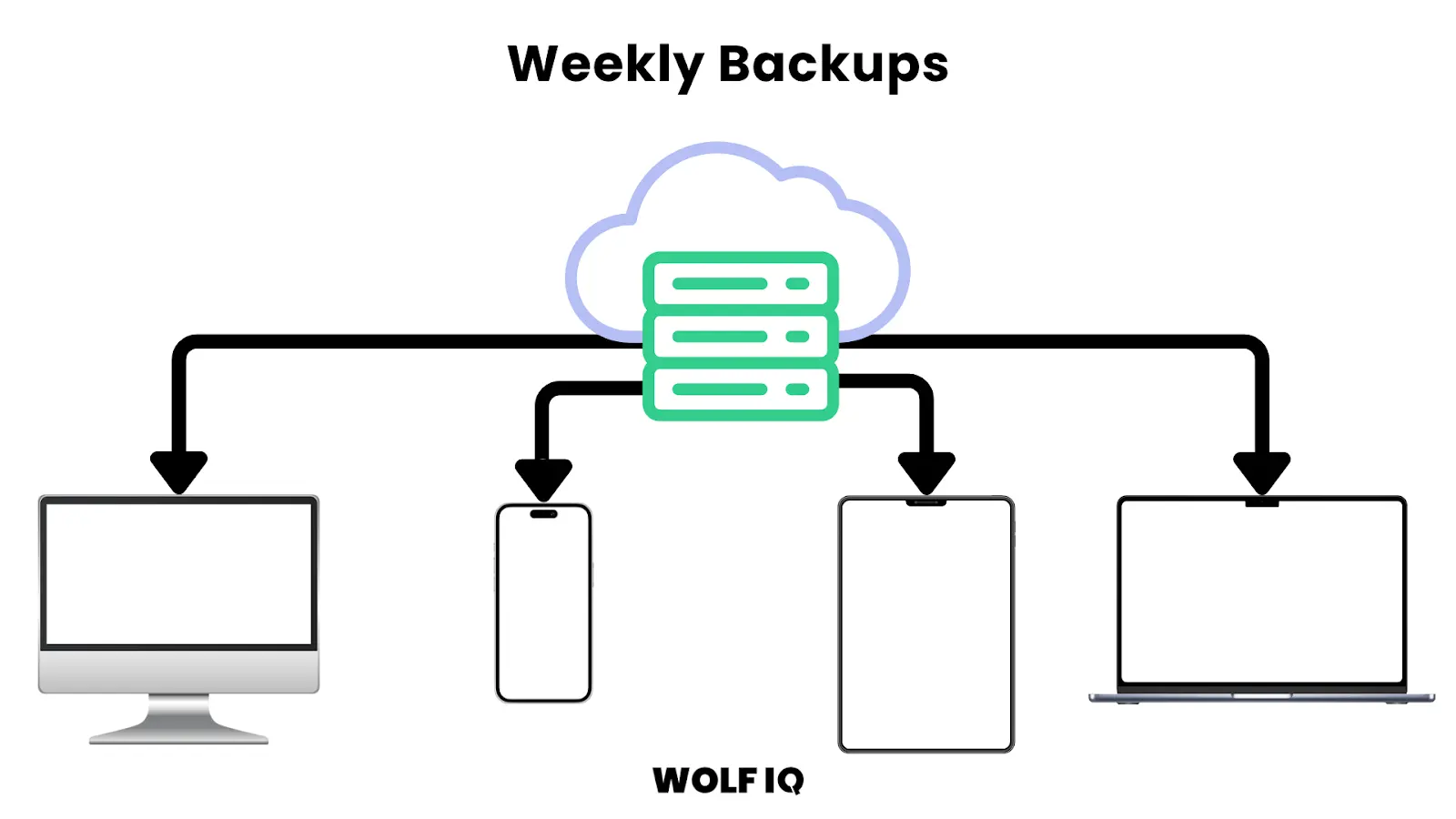
Three rules make backups actually useful. Keep them offsite, because a backup stored on the same server dies with the server. Keep at least 30 days of history, because you rarely notice a problem the day it happens. And restore-test quarterly on a staging copy, because the only backup that counts is one you have successfully restored.
2. Software Updates
This includes updating your website's core software (like WordPress or Joomla), as well as any plugins, extensions, or themes.
These updates often contain critical security patches, bug fixes, and new features. As highlighted by HubSpot, failing to apply updates is a major security risk.
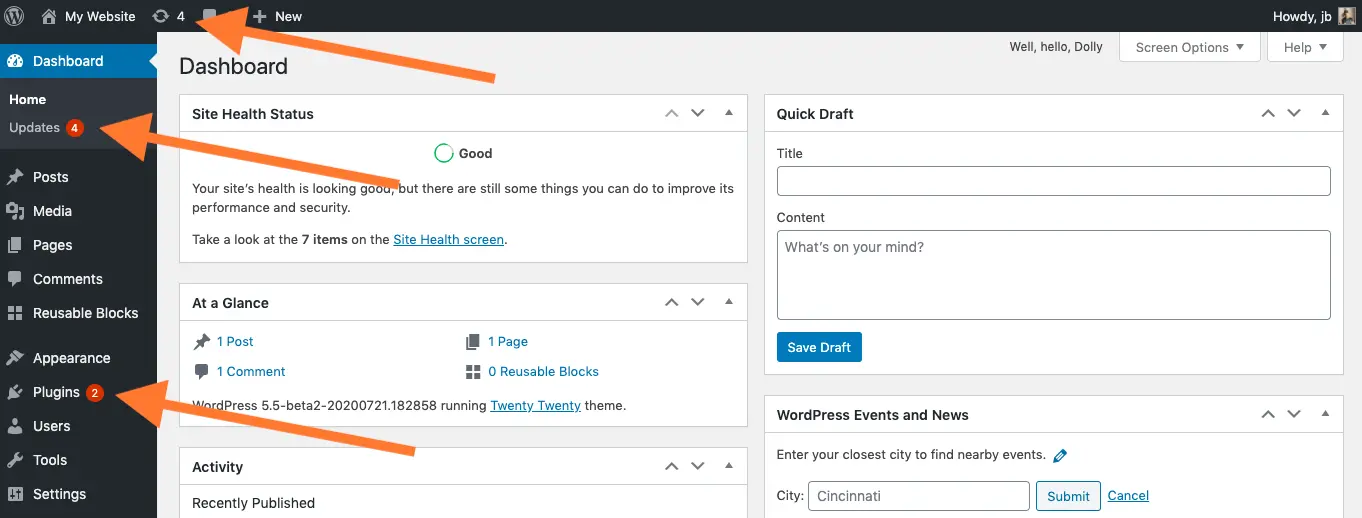
The safe workflow is staging first: take a backup, apply updates on a staging copy of the site, click through your key pages and forms, then push to production. Updating plugins directly on a live site works right up until the day a plugin conflict takes your checkout down. If you have no staging environment, update one plugin at a time and check the site between each.
3. Security Scans
Regularly scanning your website for malware and other security vulnerabilities is essential for protecting your site and your customers. Many security plugins and services can automate this process.
One recommended tool is Security Headers by Snyk, which quickly checks whether your site uses essential HTTP response headers like Content-Security-Policy and Strict-Transport-Security.
These headers help protect against common threats such as cross-site scripting (XSS), clickjacking, and code injection.
By scanning and fixing missing or weak security headers, you reduce your exposure to malicious attacks and improve trust with both users and search engines.
Beyond automated scans, harden the basics: enforce strong passwords and two-factor authentication for admin accounts, remove users who no longer need access, limit login attempts, and delete inactive themes and plugins. Deactivated plugins still ship exploitable code.
4. Performance Checks
Your website's loading speed has a direct impact on user experience and SEO.
Regularly testing your site's performance and optimising images, code, and server response times is crucial for keeping it fast and responsive.
You want to focus on mobile Core Web Vitals first, as Google uses mobile-first indexing. Consider using Australian-based CDN services to improve loading times for local users.
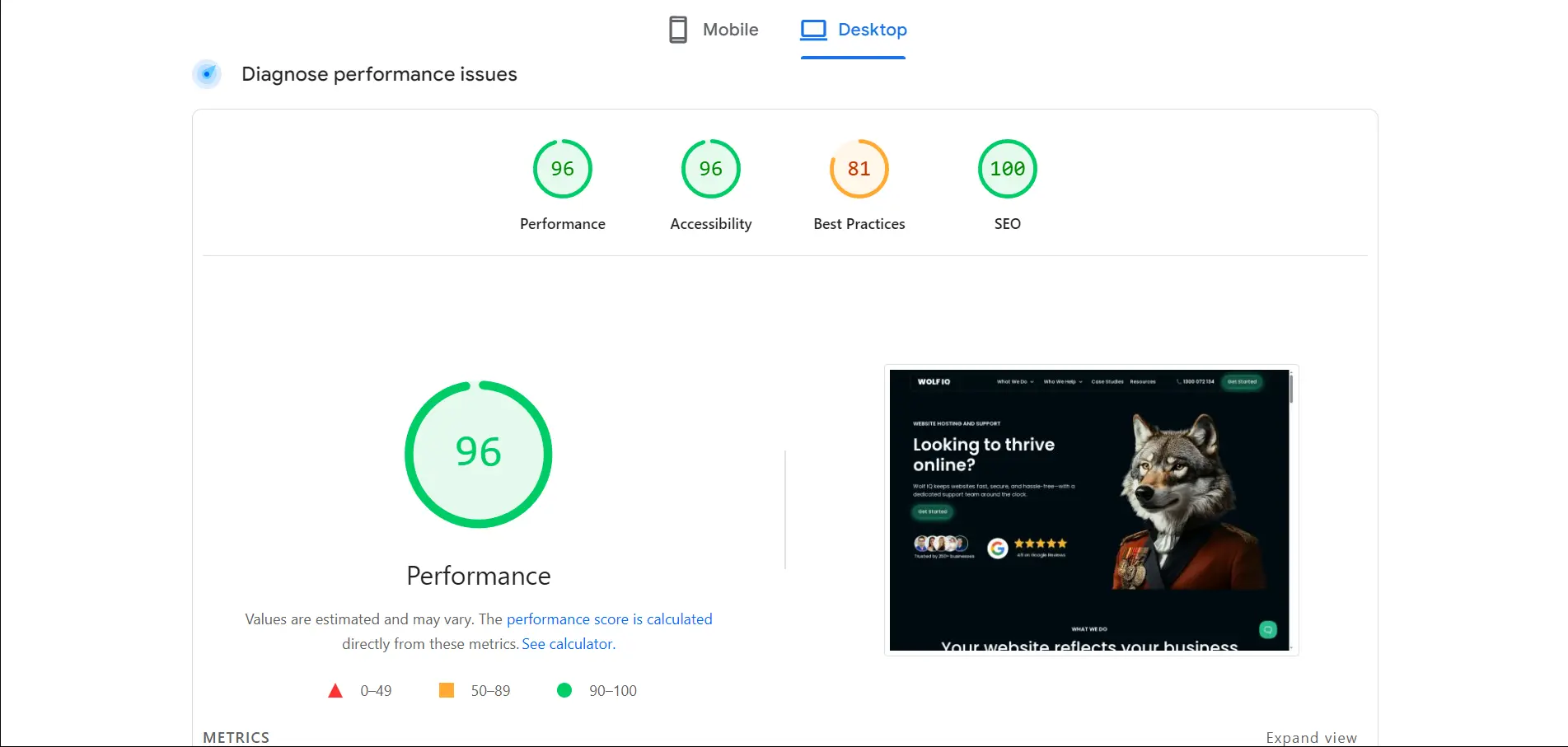
Test with PageSpeed Insights monthly and track your mobile Core Web Vitals in Search Console. The usual culprits when scores slip are oversized images, plugin bloat and slow hosting. Fix in that order: compress and resize images, remove plugins you no longer use, then look at hosting if scores stay poor.
5. Broken Link Checks
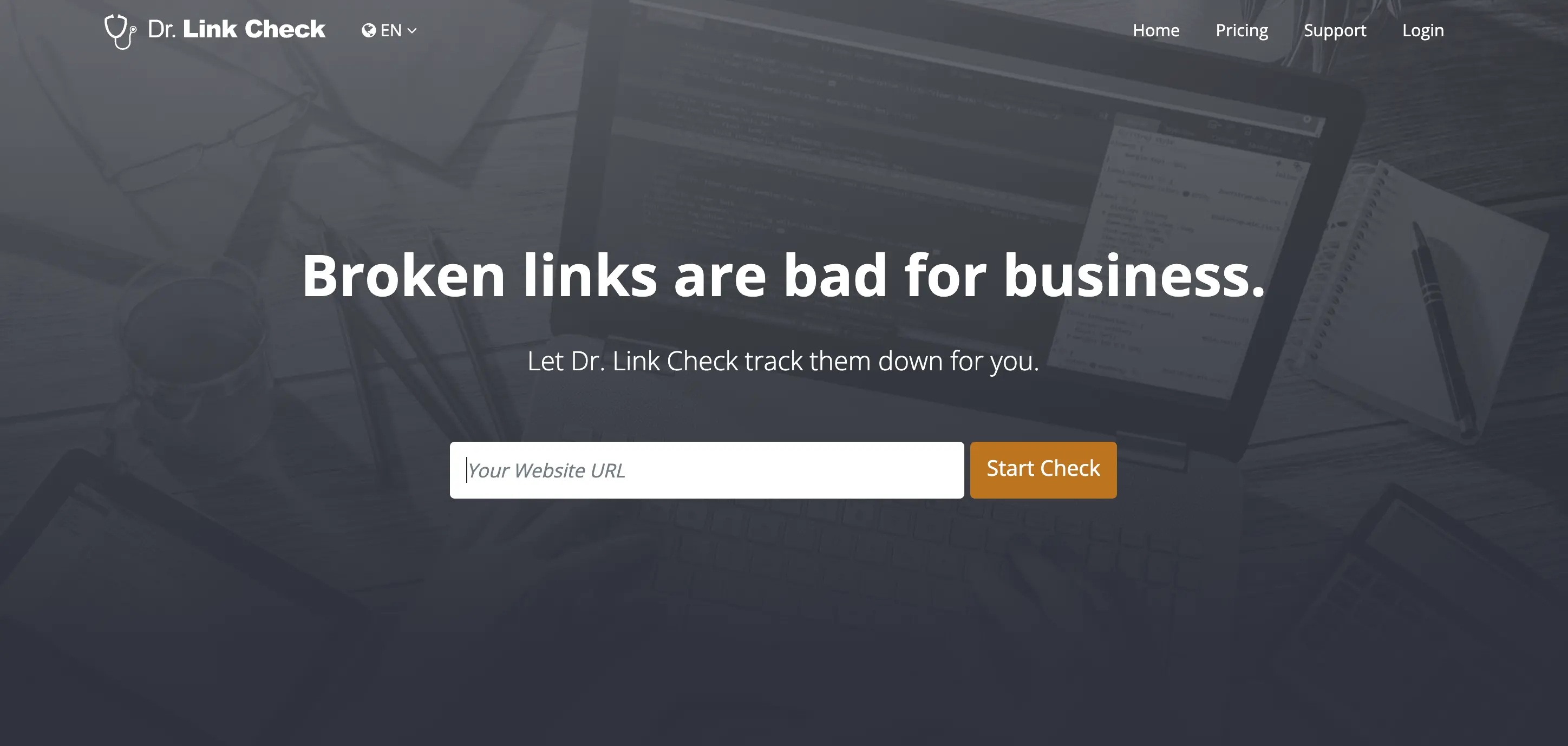
Broken links create a frustrating user experience and can harm your SEO. Regularly scanning your site for broken links and fixing them promptly is a simple but important maintenance task.
We recommend Dr. Link Check because it's free, fast, and provides a detailed report showing which anchor text contains each broken link.
6. Content and SEO Updates
Keeping your website's content fresh and relevant is key to engaging your audience and improving your search engine rankings.
This includes adding new blog posts, updating existing content, and optimising for relevant keywords.
Put a quarterly review in the calendar for the pages that matter commercially: pricing, services, contact details, opening hours and legal pages. Outdated prices and stale terms and conditions cost trust, and in some cases create legal exposure. Update publication dates only when the content genuinely changes.
7. E-commerce Maintenance
For online stores, maintenance also includes managing product listings, updating pricing and inventory, and ensuring that your payment gateway and shipping integrations are working correctly.
8. Uptime Monitoring
An uptime monitor pings your site every few minutes and alerts you the moment it goes down. Without one, your first notice is often a customer telling you days later. Free tools like UptimeRobot cover most small business needs and take ten minutes to set up. The goal is simple: you should always know before your customers do.
9. Database Optimisation
WordPress databases accumulate clutter: post revisions, spam comments, expired transients and orphaned tables from deleted plugins. Over years this slows queries and bloats backups. A monthly or quarterly clean with a tool like WP-Optimize keeps things lean. Always back up before touching the database, and avoid manual table edits unless you know exactly what you are doing.
10. SSL and Domain Renewals
An expired SSL certificate throws a full-screen security warning that stops nearly every visitor, and an expired domain takes the site and your email offline entirely. Most hosts auto-renew certificates, but verify it rather than assume it. Set calendar reminders 30 days before domain renewal and keep your registrar payment details current.
What Breaks When WordPress Maintenance Lapses?
These are the failure patterns we see most often when maintenance stops. Each scenario below is illustrative, but every one of them describes a situation that happens to Australian small businesses every week.
A plugin conflict takes down the site
A theme update ships with a change that conflicts with an ageing form plugin. The site white-screens on a Friday evening.
With no staging environment and no recent backup, the owner spends the weekend paying emergency developer rates instead of rolling back in ten minutes.
An outdated plugin gets exploited
A known vulnerability in an unpatched plugin lets an attacker inject spam links and malware. Google flags the site as deceptive, browsers show a red warning page, and rankings collapse.
Cleanup means malware removal, a security review and a reconsideration request, and rankings can take months to recover. The patch that would have prevented it had been available for weeks.
An expired SSL certificate blocks every visitor
The certificate auto-renewal fails silently because a payment card expired. Every visitor now sees a browser security warning instead of the website.
Traffic drops to near zero until someone notices, and for a business running ads, every click paid for during that window is wasted.
Unnoticed 404s bleed rankings
A restructure changes URLs without redirects. Internal links break, external links from other sites now hit 404 pages, and the authority those links carried evaporates.
Rankings slide slowly enough that nobody connects cause and effect until a quarterly report shows organic traffic down by half.
A host failure with no backup
The hosting company has an outage that corrupts data, and the only backup lived on the same server. Years of content, customer enquiries and order history are gone.
The site gets rebuilt from a web archive and screenshots. This is the cheapest problem on this list to prevent and the most expensive to experience.
Every scenario above is covered by the routine tasks in this guide. That is the whole argument for maintenance: not that something might go wrong, but that all of these are preventable for a fraction of what fixing them costs. It is also exactly what a WordPress care plan exists to handle.
DIY vs. Outsourcing: What's Right for You?
A key decision for any business using WordPress for their website is whether to handle the maintenance in-house or outsource it to a professional agency.
There are pros and cons to both approaches, and the right choice depends on your budget, technical expertise, and the complexity of your website.
The DIY Approach
If you have the time and technical confidence, you can certainly handle some basic maintenance tasks yourself. This can be a cost-effective option, especially for simple websites. If you go the DIY route, here is what it involves.
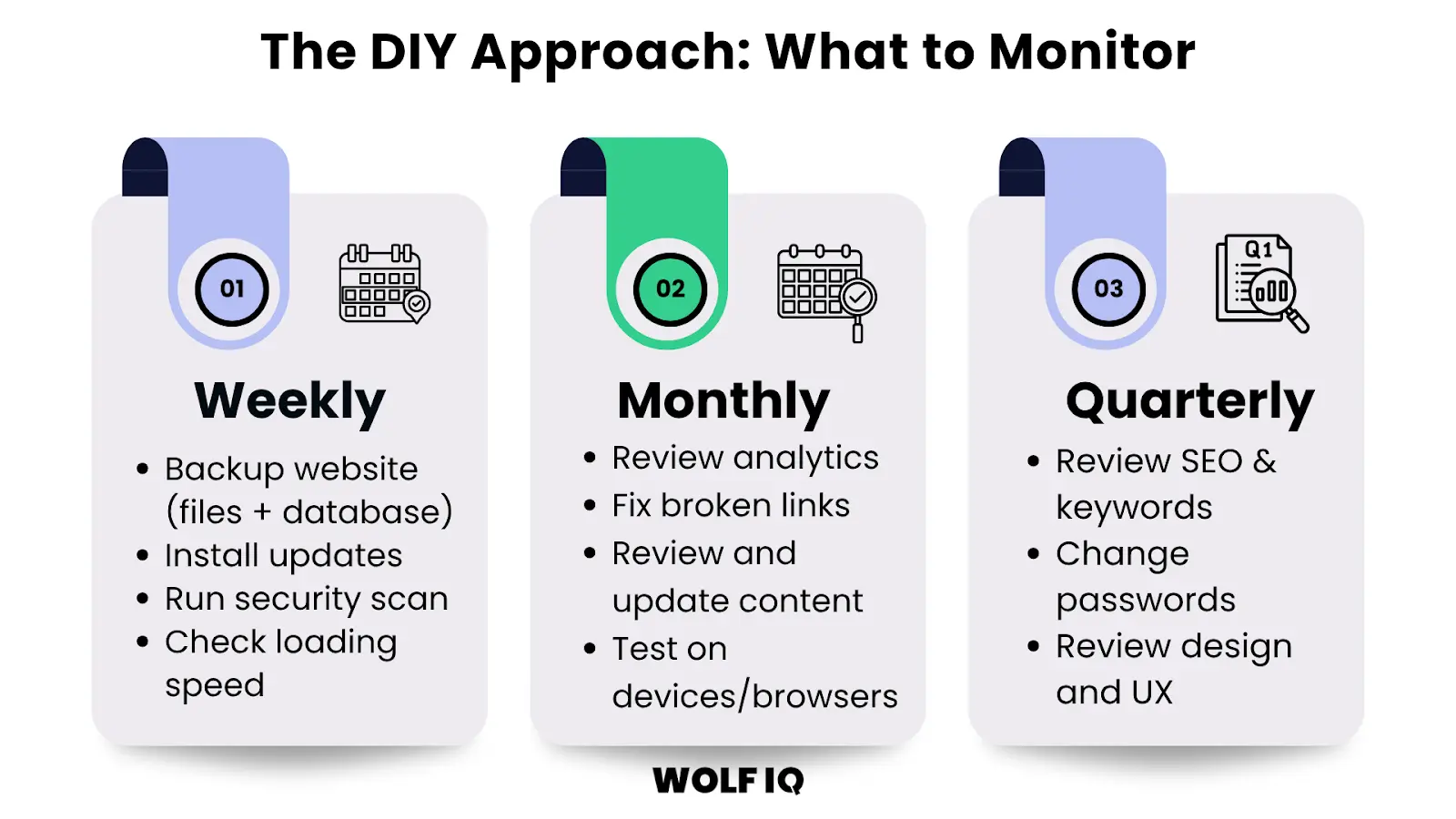
The full task list lives in the DIY maintenance checklist further down this page, organised by week, month, quarter and year.
Budget 4 to 8 hours a month to do it properly. The tools are cheap; the real cost of DIY is your time, and the real risk is the weeks that get skipped when the business gets busy.
Outsourcing to WordPress Experts
While DIY can save you money, it can also be time-consuming and risky if you're not sure what you're doing.
For many small businesses, outsourcing WordPress maintenance to a professional agency is a smarter investment. Here's why:
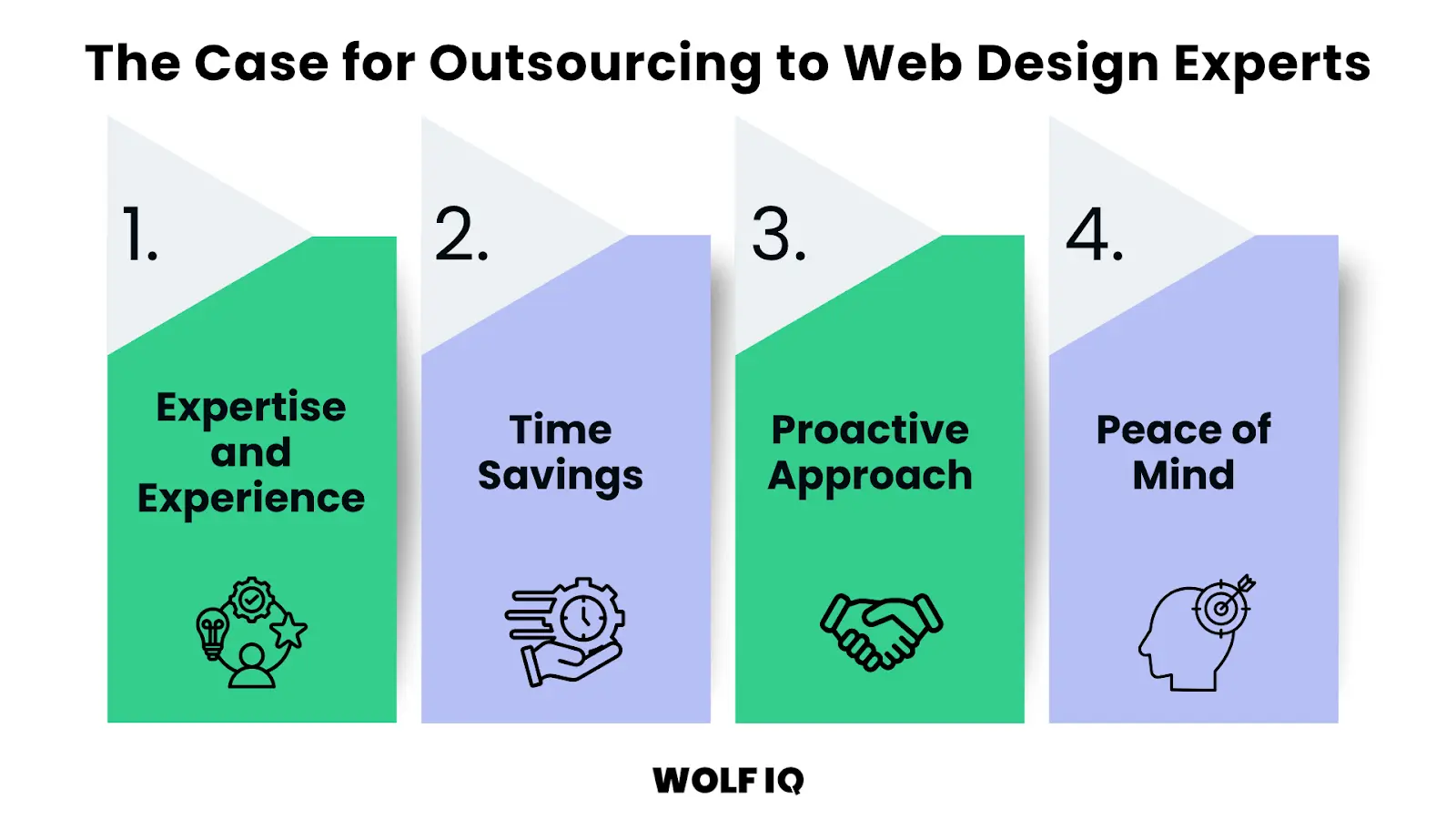
- Expertise and Experience: A professional agency has the technical expertise to handle all aspects of WordPress maintenance, from security and performance to SEO and content updates. They know what to look for and how to fix problems quickly and efficiently.
- Time Savings: Outsourcing frees you up to focus on what you do best – running your business. You don't have to worry about the technical details of your website.
- Proactive Approach: A good maintenance provider will take a proactive approach, identifying and fixing potential issues before they become major problems. This can save you from costly downtime and security breaches.
- Peace of Mind: Knowing that your website is in the hands of experts gives you peace of mind. You can be confident that your site is secure, up-to-date, and performing at its best.
If you would rather have all of this handled, that is exactly what our care plans are built for: hosting, updates, backups, security and support in one monthly plan, from $139 AUD per month.
DIY WordPress Maintenance Checklist
If you are handling maintenance yourself, work through this checklist on a set schedule. Copy it into your task manager and treat it like invoicing: not optional, just part of running the business.
Weekly
- Confirm backups completed and are stored offsite
- Update WordPress core, themes and plugins (staging first, or one at a time)
- Run a malware and file-change scan
- Review security log for repeated failed logins
- Click through your most important pages and forms
Monthly
- Run PageSpeed Insights and note mobile Core Web Vitals
- Scan for broken links and fix or redirect them
- Review Search Console for coverage errors and manual actions
- Clear database of spam comments, revisions and expired transients
- Check uptime monitor reports for patterns
Quarterly
- Restore a backup to staging and verify it works end to end
- Review and update pricing, services, contact details and legal pages
- Remove unused plugins, themes and stale admin accounts
- Review hosting performance and costs against alternatives
Annually
- Verify SSL certificate auto-renewal and domain registration dates
- Update copyright year and review terms and privacy policy
- Audit user access across site, hosting, DNS and email
- Assess whether the site still serves the business or needs a refresh
If working through this list twice makes the case for handing it off, that is a rational response. The full weekly-to-annual cycle is 4 to 8 hours a month done properly, which is exactly the work a care plan absorbs.
How to Keep WordPress Maintenance Costs Down?
Whether you choose to DIY or outsource, there are three key strategies you can use to keep your WordPress maintenance costs under control. They are keeping the design simple, investing in quality web hosting and undertaking proactive care.
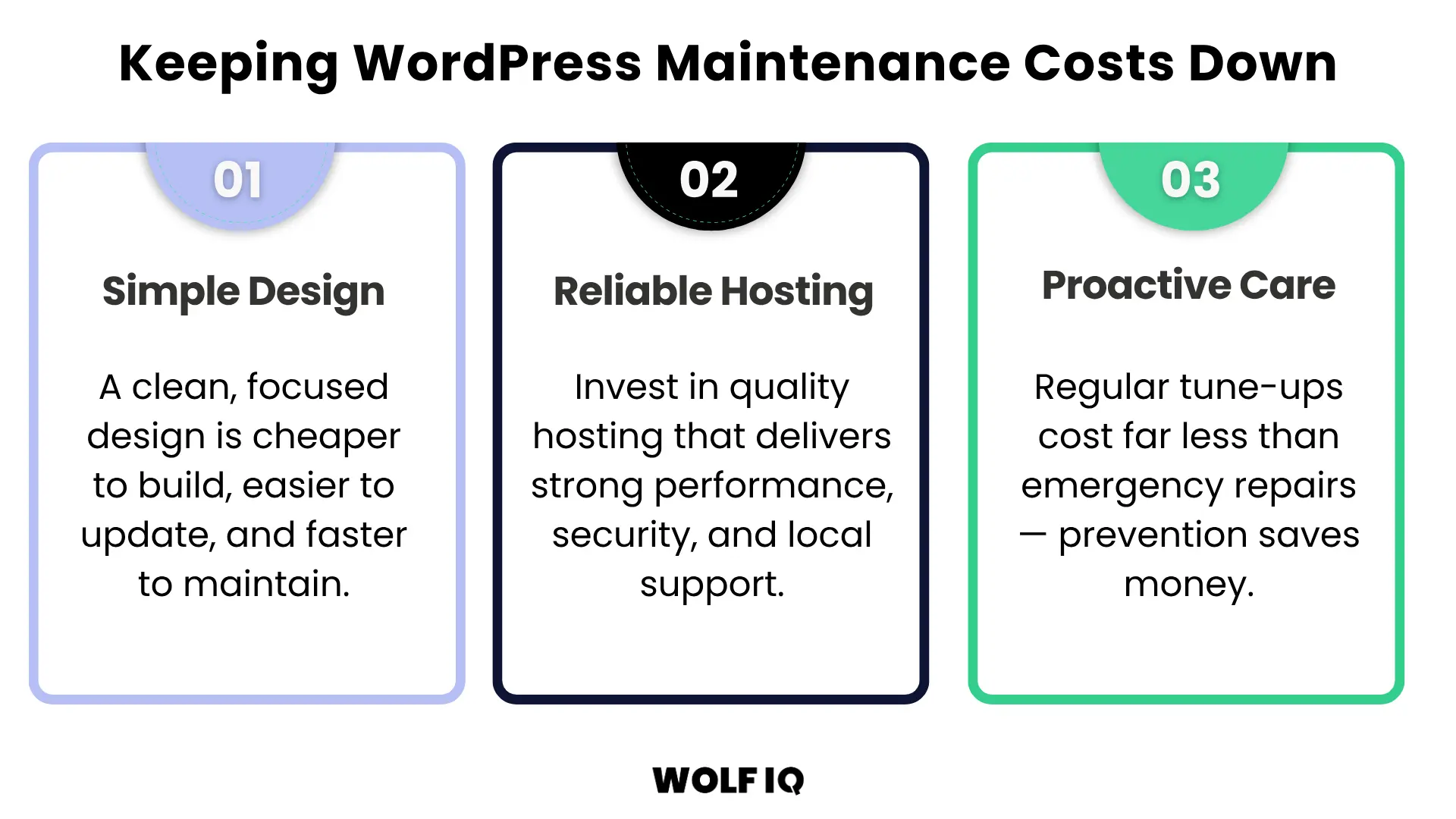
1. Simple WordPress Design
A simple, clean WordPress design is not only more user-friendly, but it's also less expensive to maintain.
Complex designs with lots of features and custom functionality require more time and resources to update and troubleshoot.
By focusing on the core functionalities your business needs, you can reduce both your initial development costs and your ongoing maintenance expenses.
2. Reliable, Cost-Effective Hosting
Your choice of web hosting has a big impact on your website's performance, security, and maintenance costs. While cheap offshore hosting providers can be tempting, it often comes with poor performance and limited support.
You want a reliable and local hosting provider that offers good performance, security features, and responsive support.
3. Proactive with Maintenance
It's much cheaper to prevent problems than to fix them.
A proactive approach to maintenance, including regular backups, updates, and security scans, can save you from costly emergency repairs down the track. Think of it like servicing your car – regular tune-ups are much cheaper than a major engine failure.
How much should you budget for WordPress maintenance?
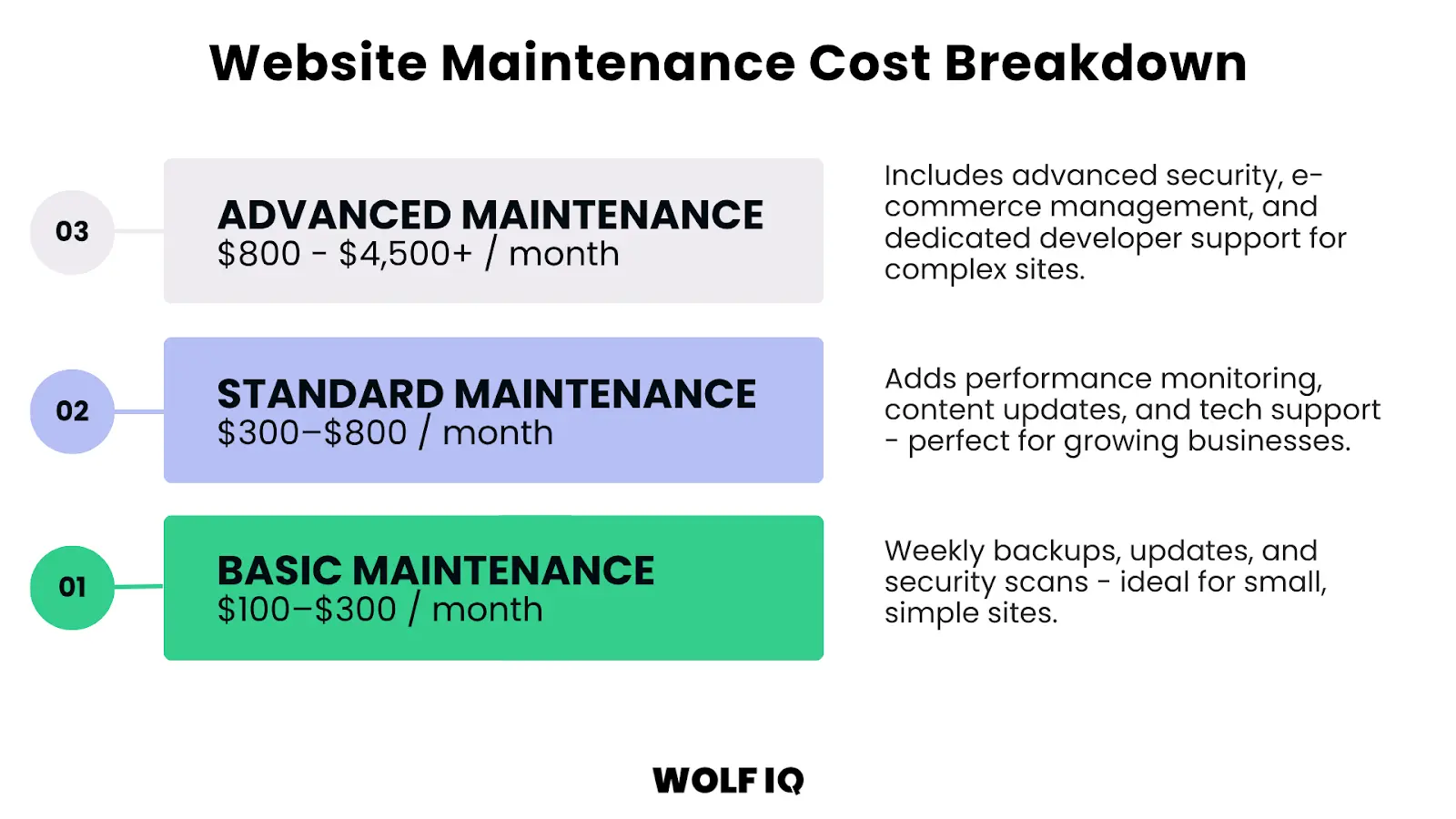
The cost can vary widely depending on the size and complexity of your site, but a general guide is $100 for basic coverage, $300 for professional coverage and over $800 for advanced coverage.
Basic Maintenance
Basic WordPress maintenance for small, simple websites is typically $100 - $300 per month.
This normally includes weekly backups, software updates, and security scans.
Standard Maintenance
Standard WordPress Website Maintenance for most small businesses is typically $300 - $800 per month.
This usually includes everything in the basic plan, plus performance monitoring, content updates, and technical support.
Advanced Maintenance
Advanced WordPress maintenance for e-commerce or more complex sites is typically from $800 all the way up to $4,500+ per month. The ceiling is where it becomes cheaper for you to hire someone internally and have them dedicated to it versus outsourcing externally.
This is for businesses that need comprehensive support, including advanced security, e-commerce management, and dedicated developer time.
These prices can vary significantly because websites do too. So whichever path you choose, it's important to get a detailed quote that outlines exactly what's included.
What each option includes and excludes
The tiers above describe market rates. Here is how the three ways of buying maintenance compare in practice, and where each one catches people out.
| Option | Typical cost | Usually includes | Watch out for |
|---|---|---|---|
| DIY | $0 - $60/month in tools, plus 4 - 8 hours of your time | Backup and security plugins, uptime monitor, your own labour | Your time is the real cost. Skipped weeks compound, and one mistake during an update can cost more than a year of a care plan |
| Freelancer | $50 - $150/hour, ad hoc | Whatever you ask for, when they are available | No proactive monitoring between visits. Availability during an emergency is not guaranteed, and knowledge leaves when they do |
| Agency care plan | $100 - $800+/month | Scheduled updates, monitoring, backups, security, support hours, accountability | Inclusions vary widely between providers. Compare what is actually in the plan, not the headline price |
For reference, Wolf IQ care plans run from $139 to $549 AUD per month across three tiers. Full inclusions are on the care plan pricing page, and our comparison of the best WordPress care plans in Sydney covers how we stack up against alternatives.
What is the total cost of a WordPress Website?
Now that you understand why a WordPress website is an ongoing asset that requires continuous maintenance, we can start to understand the total cost of ownership over a realistic timeframe.
Below is a worked example of the Total Cost of a WordPress Website for a small business over a 5-year useful life.
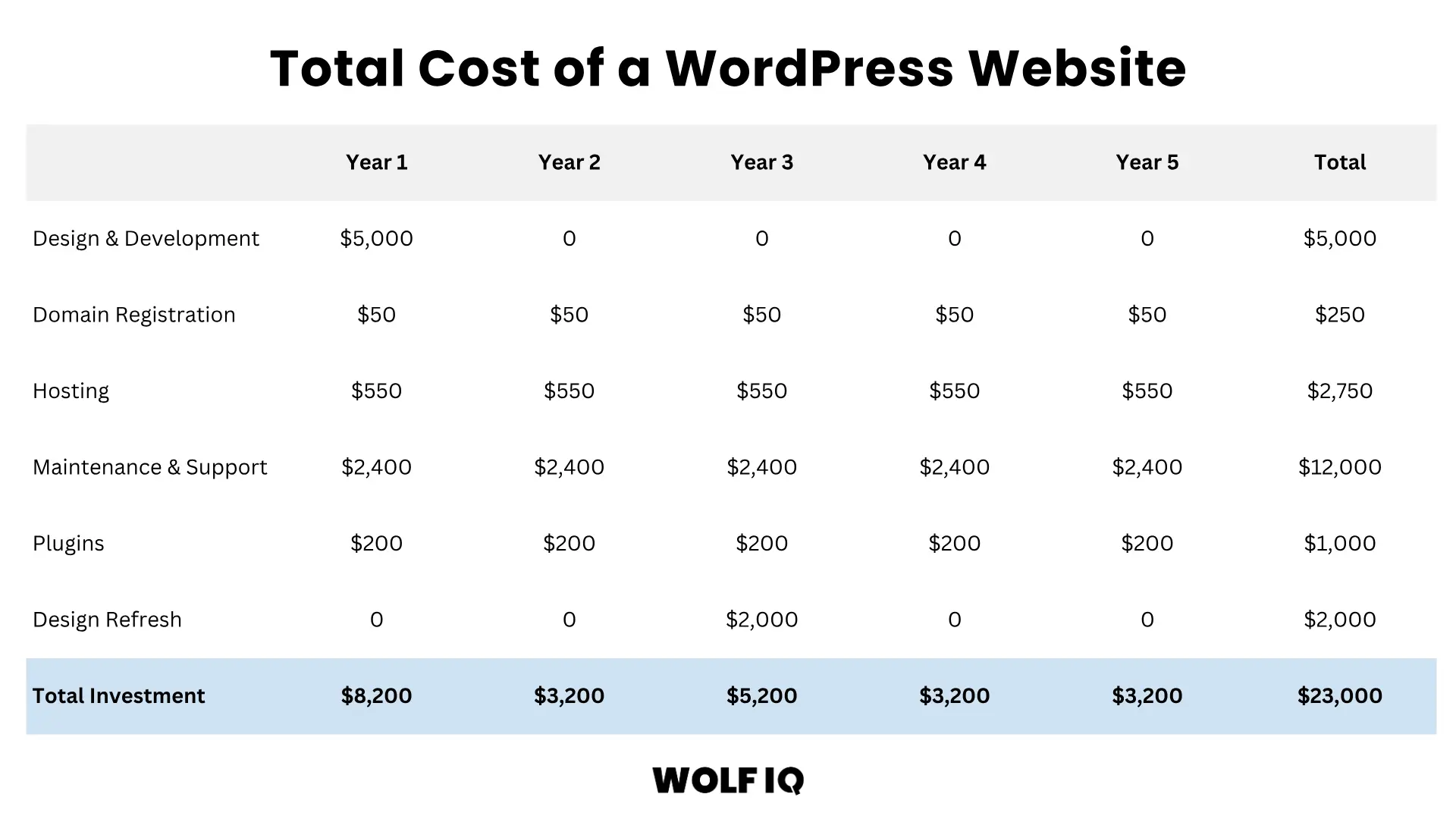
- Year 1 investment of $5,000 due to initial design and development costs
- Years 1–5 average approximately $3,000 annually for the domain ($50 per year), hosting ($550 per year), maintenance and support ($2,400 per year)
- Years 1–5 average also include $200 per year of advanced plugins and integrations for automated reviews and email marketing
- A mid-life design refresh in Year 3 for $2,000 helps maintain competitiveness and user experience
The total cost over five-years for the website would be $23,000. However, viewing it as a 'cost' undermines the value it brings for your business. A website is an investment.
If the business is generating $50,000 annually from their website ($250,000 over 5 years), this equates to 11x return on that investment.
The key takeaway here is that while the upfront development cost is significant, the ongoing maintenance costs and revenue impact of the website are what determine whether your website becomes a profitable business asset or a liability.
Frequently asked questions
How often does a WordPress website need maintenance?
Weekly for the essentials: backups verified, software updated and a security scan run. Monthly for performance, broken links and database cleanup, quarterly for content reviews and restore testing, and annually for SSL and domain checks. The frequency table in this guide covers every task.
What happens if I skip WordPress maintenance?
Nothing, at first, which is exactly why sites fall behind. Over time outdated plugins become security holes, backups quietly stop working, performance degrades and rankings slip. Most emergency rebuilds we see started as a few months of skipped updates.
Can I do WordPress maintenance myself?
Yes. Every task in this guide is achievable with free or cheap tools and the checklist above. Budget 4 to 8 hours a month to do it properly. The honest question is not whether you can, but whether that is the best use of your hours.
What does a WordPress care plan include?
A good plan covers managed hosting or hosting oversight, core and plugin updates, daily backups, security monitoring, uptime monitoring and a support allocation for fixes and small changes. Inclusions vary widely between providers, so compare the actual list, not the price.
How much should WordPress maintenance cost?
Basic coverage for a simple site runs $100 - $300 per month, standard coverage for most small businesses $300 - $800, and advanced support for eCommerce or complex sites from $800 up. DIY costs $0 - $60 a month in tools plus your time.
Does managed WordPress hosting replace maintenance?
No. Managed hosting handles the server layer: uptime, PHP versions and sometimes core updates. It does not update your plugins, fix broken links, review content, test restores or monitor your rankings. Hosting is one ingredient of maintenance, not a substitute for it.
Do I still need maintenance if my site never changes?
Yes. The web changes around your site even when the site stands still. Plugins need patching, PHP versions retire, browsers deprecate features and certificates expire. A static site with no maintenance is not stable, it is ageing.
Your Website is your #1 Marketing Asset
Your website is a powerful tool for growth, but only if it's properly maintained.
By investing in regular WordPress maintenance, you're not just preventing problems, you're building a faster, safer, and more profitable online presence. Whether you manage it in-house or outsource to specialists, a proactive approach is essential.
Need a hand? Wolf IQ offers tailored WordPress maintenance solutions designed to keep your website secure, high-performing, and conversion-ready.
Looking for help on maintaining your WordPress website?
Wolf IQ maintains hundreds of WordPress websites for business owners and marketing leaders every month.
Get in Touch Trusted by 500+ businesses